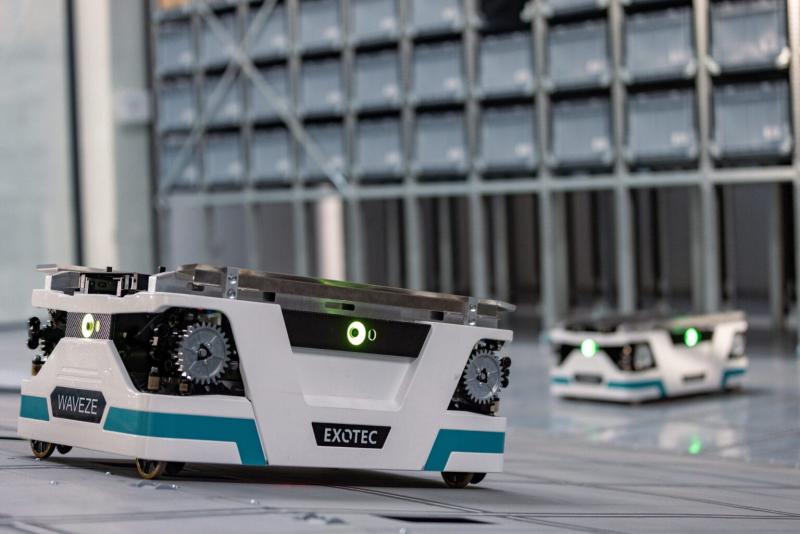
Cleaning inside the Skypod system
Get ready for work—you must wear:
- A work shirt and pants,
- Work shoes with composite toe caps,
- Work gloves,
- A helmet, safety glasses,
- A reflective vest.

Before you start work, remember that you must:
- Complete health and safety training and on-the-job training.
- Have no health contraindications to performing the work.
- Be familiar with the operating instructions for the machines, equipment, and tools used in the workplace.
Before starting work:
- Prepare the necessary equipment and materials to perform the assigned work.
- Check the condition of personal protective equipment.
- Make sure that the area to be cleaned is safe (production or storage process shut down).
- Ensure that the system has been shut down by an authorized employee.
During work:
- Keep your surroundings tidy.
- Use only equipment that is in good working order, in accordance with its intended use and instructions.
- Ask an Exotec employee to activate "cleaning mode," wait until the system is shut down, then clean under the conveyors and at the stations.
- Collect trash (e.g., pieces of cardboard, paper) from the space between the racks and on the robot paths.
- Vacuum the floor and wash it with a mop and clean water. Use a small amount of water so that the surface dries as quickly as possible.
- Vacuum the stations with a vacuum cleaner with a nozzle designed for this task (40 cm wide).
- After degreasing, wash and dry the floor with a scrubber or mop (including in hard-to-reach areas).
- Do not place equipment on traffic routes or in areas with limited visibility.
- Empty trash cans into a collection bag; do not compact the trash.
- When emptying the bin by hand, wear protective gloves and exercise caution.
- If you see an obstacle on a transport route, especially a fire route, remove it and put it in its designated place.
- Place warning signs (Caution: slippery!) if the floor has been freshly washed.
- Report any damaged or missing signs to your supervisor.
- Immediately report any missing or displaced firefighting equipment.
- If you notice a fire, immediately call the fire department and notify your supervisor.
After finishing work:
- Tidy up your workplace.
- If you have not finished your work, secure the area so that it does not pose a threat to the surroundings.
- Clean your tools and equipment and then put them back in their designated place.
- Walk through the aisles and check that the boxes are correctly positioned on the shelves (they should not protrude beyond the shelves).
- Notify your supervisor that the work has been completed and report it to the service engineer so that they can resume the Skypod system operation.

What NOT to do?
- Operate mechanical and electrical equipment without authorization and knowledge of how to operate it.
- Lift weights exceeding the permissible lifting standards.
- Place harmful materials in prohibited areas.
- Place ladders on tables, desks, or similar surfaces.
- Move information or warning signs on your own.
- Store rags on radiators and central heating pipes.
- Use gasoline or other flammable solvents to clean floors.
- Use cleaning agents other than neutral ones.
- Work without the required personal protective equipment.
- Remove protective covers and signs.
- Repair equipment used to perform work yourself.
- Repair electrical equipment or touch live wires.
- Light work areas with portable lamps with a voltage exceeding 24 V.
- Allow unauthorized persons to work at the workstation.
- Block passageways and access to the work area, firefighting equipment, and power switches.
Failure or accident?
- If something breaks down, immediately disconnect the device from the power supply, secure it against being switched on again, and report the fault to your supervisor or an Exotec employee.
- If an accident has occurred, do not move anything and inform your supervisor.
- If the robot is flooded with water, move to a safe distance, remember/write down the location of the incident and the robot number, then inform A1 Sorter about the situation on site or by calling 795 544 943.

Scan the QRcode:
And you will get access to the full content
Worth knowing more