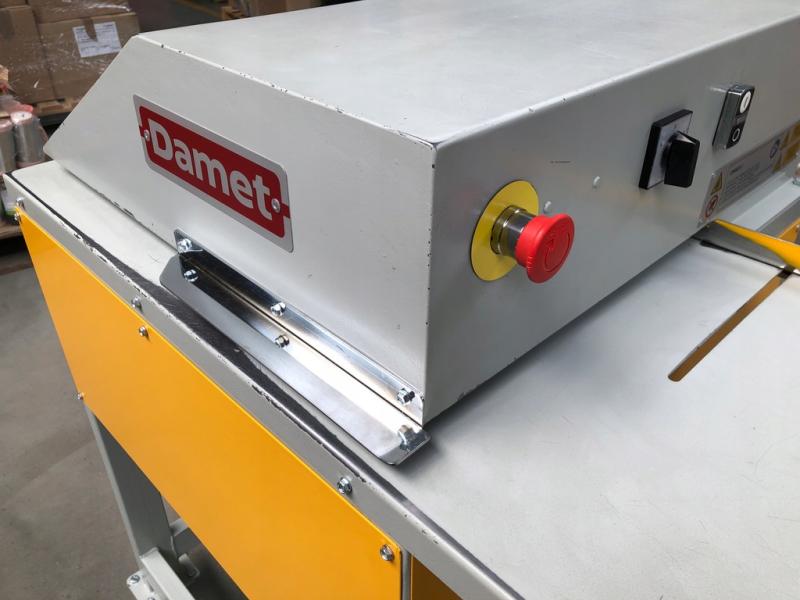
HSM cutter
Get ready for work—you must wear:
- a work shirt and pants,
- work shoes.

Before you start work, remember that you must:
- Complete health and safety training and on-the-job training.
- Have no health contraindications to performing the work.
- Be familiar with the operating instructions for the machines and equipment used at your workplace.
Before starting to use:
- Make sure that the condition of the equipment and electrical installation ensures safe operation.
- Check the setting of the cutter: make sure the area is dry and the floor is level and stable.
- Check that the ventilation openings are uncovered and unobstructed.
- Check the cardboard boxes to be cut, remove staples, paper clips, and other hard objects.
- Turn on the device by turning the main switch to the "1" position.

During operation:
- Protect the device from contact with liquids.
- Turn off the device if you notice any irregularities.
- Do not allow small items such as staples or paper clips to be pulled into the cutter.
- Secure loose clothing, long hair, necklaces, and cards away from the paper feed slot area.
- Do not destroy materials that are prone to tangling, such as tape, string, or foil.

After finishing work:
- Turn off the device after finishing work.
- Clean the device according to the manufacturer's instructions.
- Before cleaning, unplug the device and use only a soft cloth with a mild soap and water solution.
- Tidy up your work area.
- Make sure that the device does not pose a hazard to the environment.
What should NOT be done?
- Allow unauthorized persons to work on the device.
- Repair the device yourself.
- Perform repairs or maintenance while the device is in operation.
- Leave the workplace while the device is in operation.
Failure or accident?
- If something breaks down, disconnect the device from the power supply, secure it against restarting, and report the fault to your supervisor.
- If an accident has occurred, do not touch anything and inform your supervisor.
- Hang a sign on the damaged device: "DEVICE UNDER REPAIR – DO NOT TURN ON."


Scan the QRcode
To view full content
Worth knowing more