Universal belt conveyor
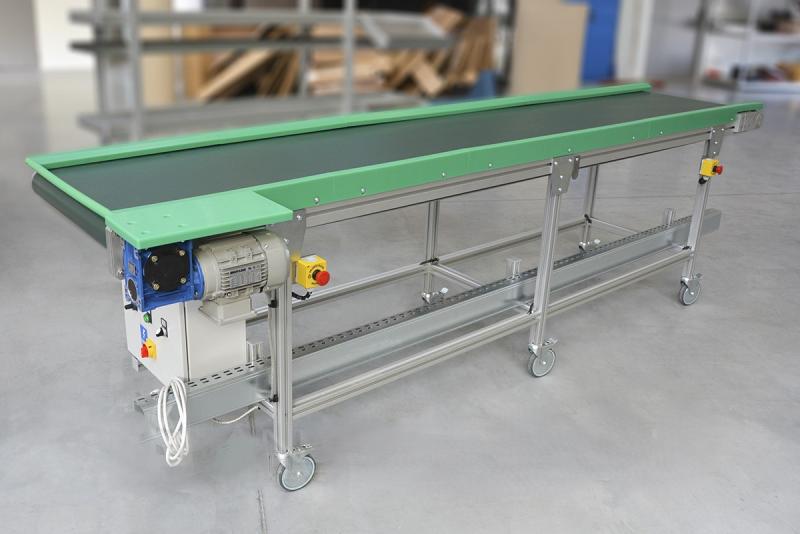
Get ready for work—you must wear:
- A work shirt and pants,
- Work shoes with composite toe caps,
- Work gloves.

Before you start work, you must:
- Complete health and safety training and on-the-job training.
- Be familiar with the operating instructions for the machines and equipment used at your workplace.
- Have no health contraindications to performing the work.
Before starting work:
- Check the technical condition of the equipment.
- Check the operation of the main and emergency switches.
- Make sure that there are no objects near the machine that could cause damage (loose objects, hanging clothing, etc.).
- If you have long hair, tie it back in a braid or bun, or wear a protective net.
- Check that the device is stable and lock the wheels before starting work.
- Ensure that the standards for transported items are not exceeded.
During operation:
- Use the device for its intended purpose.
- Follow the lifting standards during loading/unloading.
- Observe the maximum load capacity of the platform (250 kg).
- Use the device for its intended purpose.

After finishing work:
- Tidy up the workplace.
- Clean the transport equipment and place it in the designated area.
- Notify your supervisor that the assigned work has been completed.
- If you were unable to complete the work during your shift, secure the workplace against unauthorized access.
What is NOT ALLOWED?
- Walk on the conveyor belt.
- Exceed the permissible loads.
- Transport materials larger than the permissible standards.
- Transport hazardous materials.
- Listen to music or the radio while working.
- Repair or upgrade the device by unauthorized persons.
- Walk under or jump over the conveyor.
- Start the conveyor during maintenance work.


Malfunction or accident?
- If something breaks down, turn off the device, secure it against restarting, and report the fault to your supervisor.
- If an accident has occurred, do not touch anything and inform your supervisor.
- Hang a sign on the damaged device: "DEVICE UNDER REPAIR – DO NOT USE."
- If a hazard is detected, immediately shut down the device using the emergency stop button.

Scan the QRcode
To view full content
Worth knowing more