Shredder operation
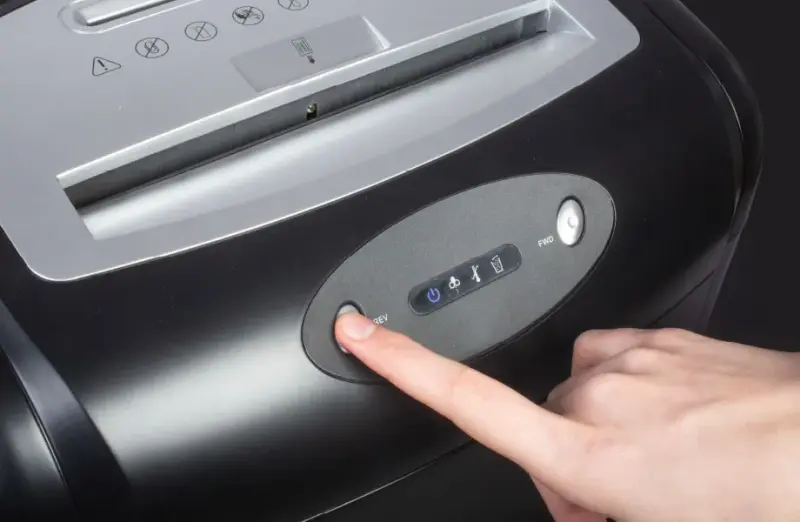
Before you start work, remember that you must:
- Complete health and safety training and on-the-job training.
- Have no health contraindications to performing the work.
- Be familiar with the operating instructions for the machines and equipment used at your workplace.
BEFORE STARTING WORK:
- Check the technical condition of the shredder – make sure it is complete and undamaged.
- Check that it is set up on a stable, level surface.
- Ensure adequate lighting and workspace.
- Check that the shred container is not overfilled – empty it if necessary.
- Remove staples and paper clips from documents if the manufacturer does not allow them to be shredded.
DURING OPERATION:
- Operate the shredder according to the manufacturer's instructions.
- Do not insert too many sheets at once – this may cause the device to jam.
- In case of a jam:
- Turn off the power and only then remove the jam,
- or use the reverse function and insert smaller portions of paper.
- Keep your hands, hair, jewelry, ties, and ID badges away from the feed slot.
- Empty the waste container regularly.
- Observe the operation of the device – in case of malfunction, turn it off immediately.
AFTER FINISHING WORK:
- Turn off the shredder (according to the manufacturer's instructions).
- Empty the waste container.
- Clean up the work area.
- If the device will not be used for a longer period of time (e.g., weekend, vacation), unplug it from the power supply.
- Make sure that the device does not pose a hazard when left unattended.
WHAT NOT TO DO:
- allow unauthorized persons to operate the device,
- repair or maintain the device during operation,
- overload the shredder beyond the permissible number of sheets,
- remove covers and safety devices,
- putting hands, fingers, jewelry, ties, ID badges, or other objects into the feed slot,
- leave your workstation while the device is turned on,
- operate the equipment with more than one person at a time.
MALFUNCTION OR ACCIDENT:
- If something breaks down, immediately disconnect the device from the power supply and notify your supervisor.
- Hang a sign on the damaged device: "DEVICE DAMAGED - DO NOT USE."
- If an accident has occurred, do not move anything and also inform your supervisor.
- Provide first aid to the injured person and call emergency services if necessary.

Scan the QRcode
To view full content
Worth knowing more